


Notepad - Notebook and Notes
4.695.00 Reviews
App Specs
- Version
- 1.4
- Updated On
- License
- Free
- Downloads
- 100,000+
- Developer
- Origin Infotech Apps
- Categories
- Productivity
- Platform
- Android
Screenshots
 Analysis by AppCompare
If you’re anything like me, you’ve probably tried to keep everyday details straight with a mix of scraps of paper, reminders, and note-taking apps. Notepad - Notebook and Notes is aimed at a simpler kind of organization: getting a thought, memo, task, or checklist out of your head and into one place. I like that focused idea, especially when I need to capture something quickly rather than build a complicated productivity system.
A straightforward place for everyday notes
The app is a free productivity tool from Origin Infotech Apps, and its central appeal is the familiar notepad approach. Rather than asking you to plan your whole day around a new system, it gives you a place to write things down and make lists. That can be useful for a shopping reminder, a short work note, a list of errands, or a thought you want to revisit later. Its average rating is 4.6 from around 1.7 thousand ratings, and it has passed 100 thousand installs, so it has found an audience among people looking for a lightweight way to keep notes.
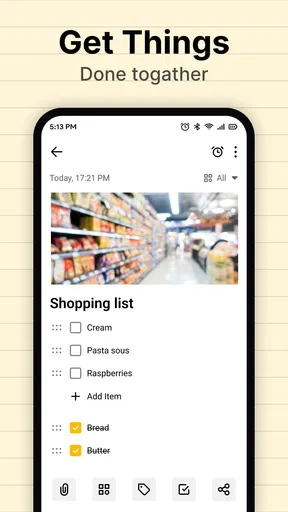
I would think of the checklist as the most practical starting point. A list works best when each item represents one clear action: “buy rice,” “send the form,” or “pack charger.” Keeping entries short makes it easier to scan the list while you are busy, and it helps prevent a note from turning into a jumble of unrelated details. For something that needs more context, a separate memo is a better fit than adding a long explanation to a single checklist item.
How the simple workflow helps in practice
A realistic use is planning a busy morning. I might put groceries in one checklist, errands in another, and keep a brief memo with the information I need before leaving. The value is not that the app plans the day for me; it is that I can move small reminders out of my memory and return to them when I need them. This is particularly handy for tasks that do not justify a calendar event but are too easy to forget.
For better results, I would give notes names that describe their purpose instead of relying on vague labels such as “stuff” or “today.” A clear title makes searching more useful when I only remember the subject, not where I put it. I would also keep ongoing lists separate from one-off reminders. A grocery list can be reused and edited, while a short note about a single appointment or errand is easier to deal with on its own.
That distinction is important when deciding whether this is the right kind of productivity app. A notepad is good at holding flexible information, but it is not automatically a project manager. If a task has a strict deadline, several people responsible for different steps, or a sequence that needs active tracking, I would use a dedicated task or calendar app instead of expecting a plain note to manage the whole process.
Using Notepad - Notebook and Notes day to day
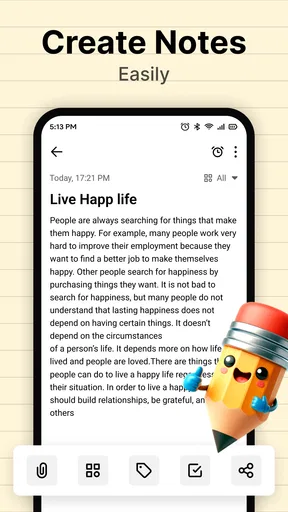
First things first, downloading Notepad - Notebook and Notes is a breeze. A quick search in your app store, and you're ready to roll. The installation is seamless, and before you know it, you’re greeted with a clean, minimalist interface that’s easy on the eyes. It’s clear from the get-go that this app doesn’t mess around with unnecessary fluff.
Worth Reading Before You Choose

EA SPORTS FC Mobile 26 Is a Bigger Football Game, but It Takes Time

Flipboard Shows What News Apps Must Do Beyond the Feed

Switching to Android Auto Means Rethinking Your Driving Routine

Google Calendar Makes a Crowded Week Easier to Manage

Ludo King Makes the Most of the Minutes Between Plans

Baby Panda World Brings Quick Play to Modern Phones, but Its Game Library Feels Busy
User Interface: Simplicity at Its Best
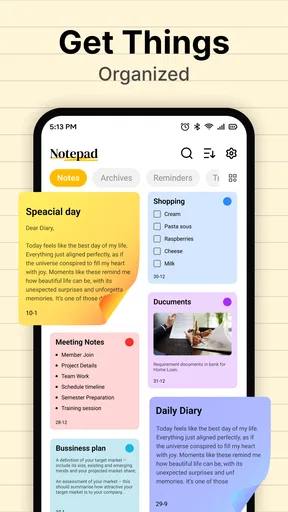
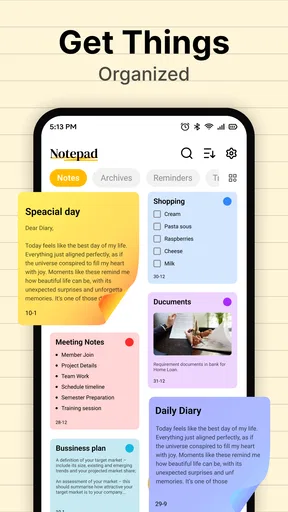
Upon opening the app, you're met with a straightforward layout. The design is intuitive, so even if you're not tech-savvy, you’ll find your way around in no time. The developers have done a fantastic job of keeping things simple yet functional. It’s like the app just knows what you need without overcomplicating things. You’ll find sections clearly labeled for different types of notes, making organization a cinch.
The search functionality is particularly impressive. With a quick tap, you can access any note you’ve created, saving time and reducing frustration when you’re in a hurry. Seriously, who has time to scroll endlessly these days?
Making checklists useful beyond quick reminders
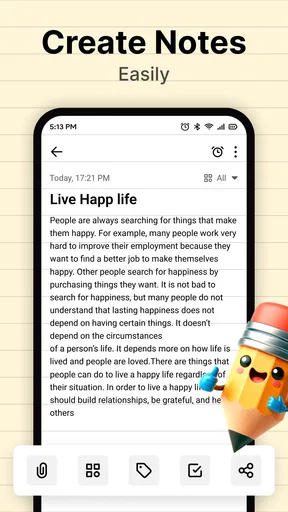
One of my favorite features is the ability to create checklists. Whether you’re planning a grocery run or a packing list for a weekend getaway, this feature has got you covered. And let's not forget the option to add photos to your notes. It’s perfect for when words just aren’t enough, or you need a visual reminder of something important.
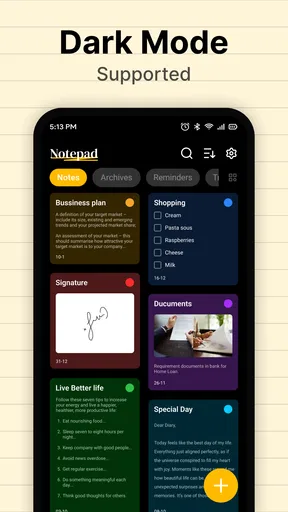
Another neat addition is the color-coding feature. You can assign different colors to different notes or categories, making it super easy to locate what you need at a glance. It’s a small touch, but it makes a huge difference in keeping everything organized.
A useful way to apply those options is to give each note one job. For example, a checklist can hold actions, while a photo in a separate note can preserve a visual reference you may want to find later. Color can then serve as a quick visual cue for broad groups, such as household, work, or personal plans. I would not use color as the only organizational method, though: descriptive note names and consistent wording are more dependable when you are searching for an item weeks later.
Compared with a full-featured note platform, this approach is intentionally less involved. Some alternatives are better for long documents, nested project structures, collaboration, or turning notes into a searchable knowledge base. A basic notepad workflow can feel faster when all you want is a quick list without setting up folders, templates, or a whole workspace. The trade-off is that people with large archives or complex projects may eventually want stronger ways to connect and manage information.
Security and Backup: Peace of Mind
Concerned about security? Notepad - Notebook and Notes has you covered. The app offers password protection, ensuring that your notes are safe from prying eyes. Plus, with cloud backup options, you don’t have to worry about losing your notes if you switch devices or experience a technical glitch. It’s like having a digital vault that travels with you wherever you go.
For private or important material, I would still make a habit of checking how protection and backup are set up before relying on them. A password feature can be useful for keeping casual access at bay, while a backup option matters most when you change phones or need to recover your notes. Those are separate needs: protecting a note on a device and ensuring a copy can be restored are not the same thing. I would avoid treating a notes app as a secure document store for highly sensitive information unless its protections meet that specific need.
Another practical question is whether this kind of app should replace reminders. I would use it for information I want to keep and revisit, such as a packing list or household note. For an action that must happen at a particular time, a reminder or calendar is more reliable because it is designed to bring the task back to your attention. Keeping those roles distinct prevents a useful note from becoming a forgotten list.
Performance and Reliability
In terms of performance, the app runs smoothly without any noticeable lag. Whether you’re jotting down a quick thought or crafting a detailed plan, the app handles it with ease. It’s reliable, which is exactly what you need from an application you’ll be using frequently.
Who will get the most from it?
I see this as a good fit for someone who wants a low-friction home for short notes and practical lists, rather than a system that needs careful setup. Students can use it for quick reminders and revision lists; busy households can keep shopping and packing checklists; and anyone who prefers writing down small tasks instead of trying to remember them may appreciate the direct approach. The app is rated for Everyone, and its current version is 1.4, with Android 8.0 as the minimum operating system requirement.
It is less compelling for someone who depends on shared editing, advanced task scheduling, or a deeply structured archive. Those needs call for tools designed around collaboration, deadlines, or linked documents. I would also skip it if I wanted a single app to coordinate a team’s workload; a personal notepad is most helpful when the information is mainly for me to capture and retrieve.
A sensible choice for uncomplicated note-taking
All in all, Notepad - Notebook and Notes is a fantastic tool for anyone looking to streamline their note-taking process. It combines simplicity with functionality, offering a range of features that cater to diverse needs. Whether you’re a student, professional, or just someone who loves staying organized, this app is definitely worth checking out.
So, if you’re in the market for a new note-taking app, give Notepad - Notebook and Notes a try. It might just become your new best friend in keeping your thoughts, plans, and ideas perfectly organized.
My recommendation is to start with one ordinary routine rather than moving every scrap of information into it at once. Try a shopping checklist or a short set of weekly errands, then see whether the way you name and find notes suits you. That small trial will show whether a simple notepad matches your habits. Released on December 11, 2025, the app keeps its pitch straightforward: capture everyday information without turning note-taking into another project.
Pros
- Simple and intuitive user interface.
- Fast and responsive performance.
- Supports voice notes feature.
- Offline access to notes anytime.
- Organize notes with customizable tags.
Cons
- Lacks advanced formatting options.
- No collaboration features for teams.
- Ads can be intrusive at times.
- Limited cloud storage integration.
- No password protection for notes.
FAQs for Notepad - Notebook and Notes
What features does Notepad - Notebook and Notes offer?
Notepad - Notebook and Notes provides a range of features including text formatting, organizational tools like folders and tags, and the ability to sync notes across devices. It also supports voice memos and image attachments, making it versatile for various note-taking needs. Additionally, it offers password protection for sensitive notes.
Is Notepad - Notebook and Notes available offline?
Yes, Notepad - Notebook and Notes can be used offline. This feature allows users to create and edit notes without an internet connection. Once you reconnect, your notes will automatically sync to the cloud, ensuring that your information is always up-to-date across all your devices.
How secure is Notepad - Notebook and Notes?
Notepad - Notebook and Notes offers several security features, including password protection and encryption for sensitive notes. Users can also enable biometric authentication such as fingerprint or facial recognition, ensuring that only authorized users can access their private information.
Can I collaborate with others using Notepad - Notebook and Notes?
Currently, Notepad - Notebook and Notes is designed primarily for individual use. While it excels in personal organization, it does not natively support collaborative features such as real-time sharing or editing with other users. However, you can export notes to share with others through email or social media.
What platforms are supported by Notepad - Notebook and Notes?
Notepad - Notebook and Notes is available for both Android and iOS devices. It can be downloaded from the Google Play Store or Apple App Store. The app is optimized for smartphones and tablets, ensuring a seamless experience across different devices and operating systems.


